SUBSTITUTIONS JUST GOT BETTER

You now have 3 options if an item in your order is out of stock


HOW SUBSTITUTIONS WORK


REVIEW CART


After adding items to your cart, go to the Review Cart page to set your substitution preferences.


SUBSTITUTE PREFERENCE


Choose the 'preferred', 'best available' or 'no substitute' option.


SELECTING ALL


Tick 'Allow substitutions for all items' to apply substitutions across your entire order



YOUR OPTIONS EXPLAINED

a star in a circular refresh arrow

PREFERRED SUBSTITUTE


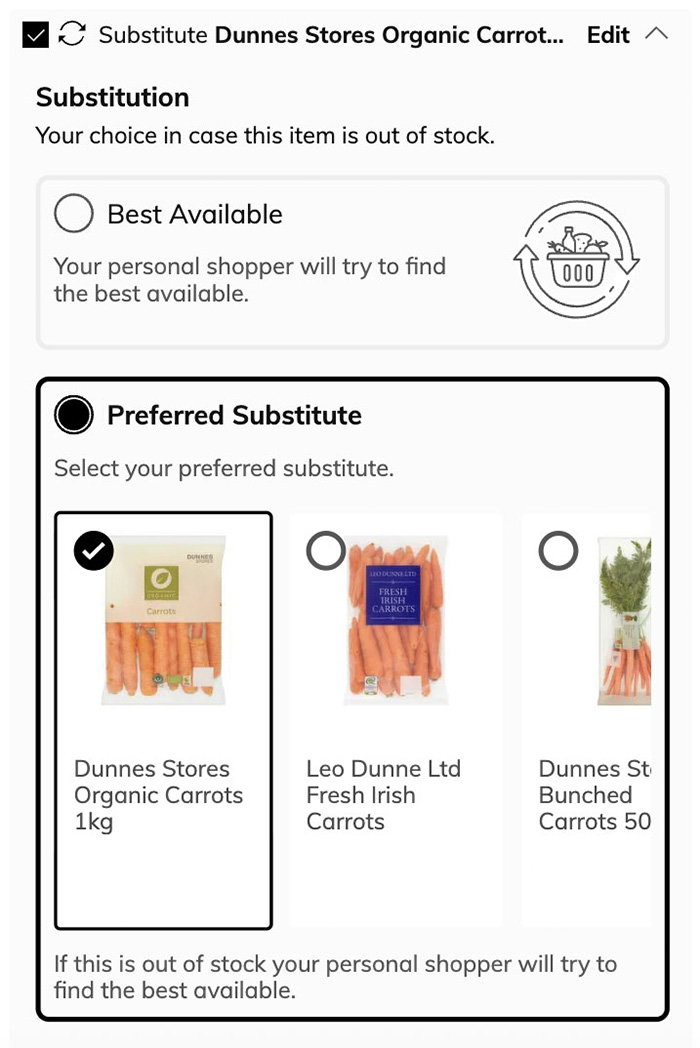
To choose your own substitute, tick the box beside the item, then select Change → Preferred Substitute.

Here, you can pick from suggested items or search for a specific product.


Example

Substitution options for Dunnes Stores Organic Carrots are displayed. Preference is set to Dunnes Stores Organic Carrots 1kg, with other carrot options shown.
a simple circular refresh arrow

BEST AVAILABLE SUBSTITUTE


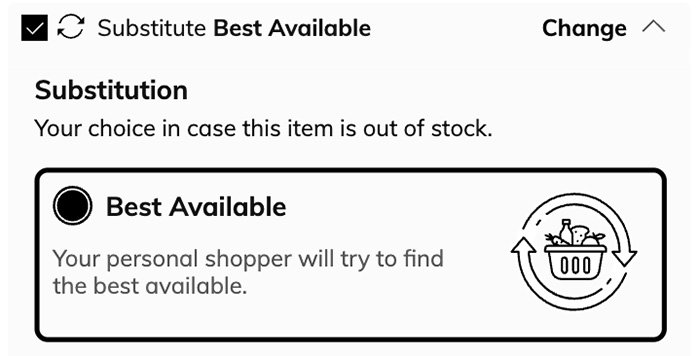
To let your Personal Shopper choose, tick the substitute box beside the item.


Example

Online shopping substitution option, checkbox marked for 'Substitute Best Available.' Text indicates shopper finds best available item if out of stock.
a crossed-out refresh arrow.

NO SUBSTITUTIONS


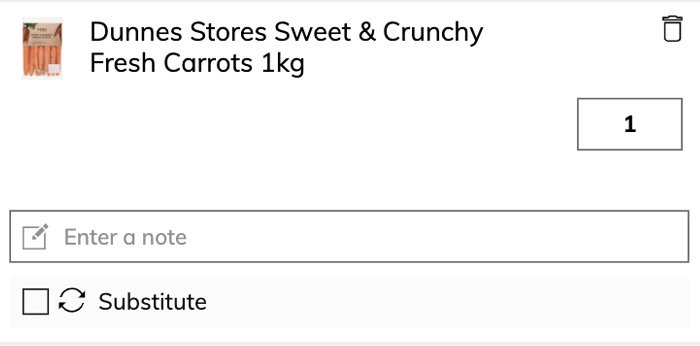
If you don’t want a substitute, leave the box beside the item unticked.


Example

Online shopping cart entry for Dunnes Stores Sweet & Crunchy Fresh Carrots 1kg, with quantity set to 1 and options to add a note, substitute, or delete the item.


YOUR OPTIONS EXPLAINED

a star in a circular refresh arrow

PREFERRED SUBSTITUTION


If you would prefer to choose your own substitute, tick the substitute box on the item, then select ‘Change’ and ‘Preferred Substitute’.

Here, you will be able to pick from suggested substitutes or swipe to the end of the recommendations to search for a specific item yourself.


Example

Substitution options for Dunnes Stores Organic Carrots are displayed. Preference is set to Dunnes Stores Organic Carrots 1kg, with other carrot options shown.
a simple circular refresh arrow

BEST AVAILABLE SUBSTITUTION


If you would prefer your Personal Shopper to choose the best available substitute, tick the substitute box on the item.


Example

Online shopping substitution option, checkbox marked for 'Substitute Best Available.' Text indicates shopper finds best available item if out of stock.
a crossed-out refresh arrow.

NO SUBSTITUTIONS


If you would prefer not to receive a substitute, ensure the substitute box is not ticked on the item.


Example

Online shopping cart entry for Dunnes Stores Sweet & Crunchy Fresh Carrots 1kg, with quantity set to 1 and options to add a note, substitute, or delete the item.